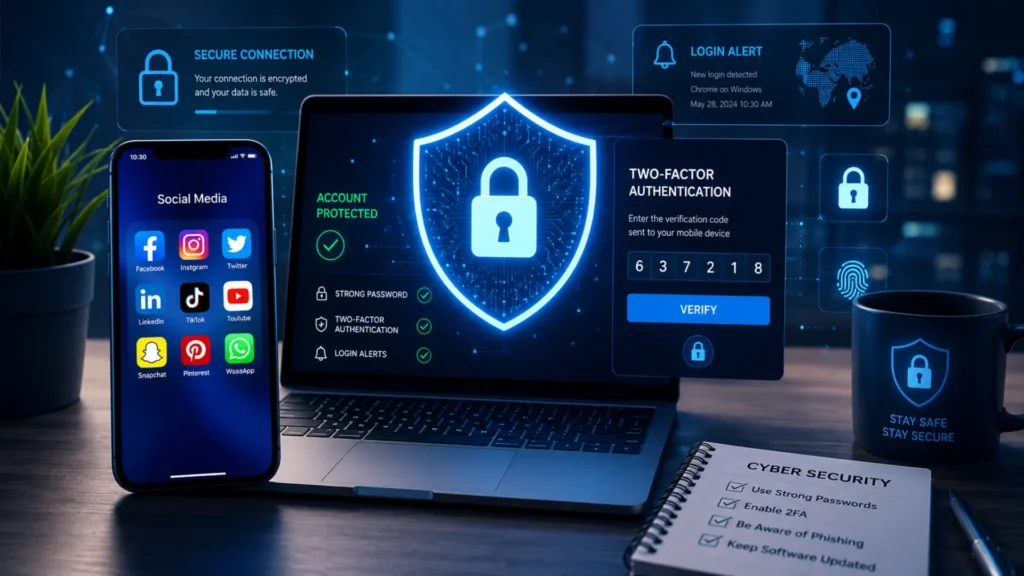
Social media has become a big part of everyday life. People use platforms like Facebook, Instagram, X, LinkedIn, and TikTok to connect with friends, share updates, and even manage businesses. However, as social media usage continues to grow, so do the security risks that come with it.
Account hacking, phishing scams, identity theft, and data breaches have become increasingly common. Cybercriminals often target social media accounts to steal personal information, spread scams, or gain access to other online accounts.
That’s why learning how to secure your social media accounts is more important than ever. In this guide, you’ll discover practical steps to protect your profiles, recognize common threats, strengthen your account security, and reduce the risk of becoming a victim of online attacks.
Table of Contents
Why Social Media Account Security Matters
Social media has become a major part of daily life. People use it to connect with friends, share personal updates, promote businesses, and even manage finances. Because so much valuable information is stored on these platforms, protecting your accounts is more important than ever. A single security breach can lead to serious personal and financial problems.
Risks of Unsecured Social Media Accounts
When social media accounts are not properly secured, cybercriminals can take advantage of weak passwords, phishing scams, or stolen login details. This can result in identity theft, financial fraud, privacy breaches, and long-term reputation damage.
Some common risks include:
- Personal information exposure
- Unauthorized account access
- Scam messages sent to followers
- Loss of valuable content
Hackers may use stolen accounts to impersonate users, spread malicious links, or trick friends and followers into sharing sensitive information. In some cases, recovering a compromised account can be difficult and time-consuming.
| Security Issue | Possible Impact |
|---|---|
| Account Takeover | Loss of account access |
| Data Theft | Personal information exposed |
| Fake Posts | Reputation damage |
| Scam Messages | Friends and followers targeted |
Understanding these risks is the first step toward learning how to secure your social media accounts and protect your online presence.
Common Ways Social Media Accounts Get Hacked
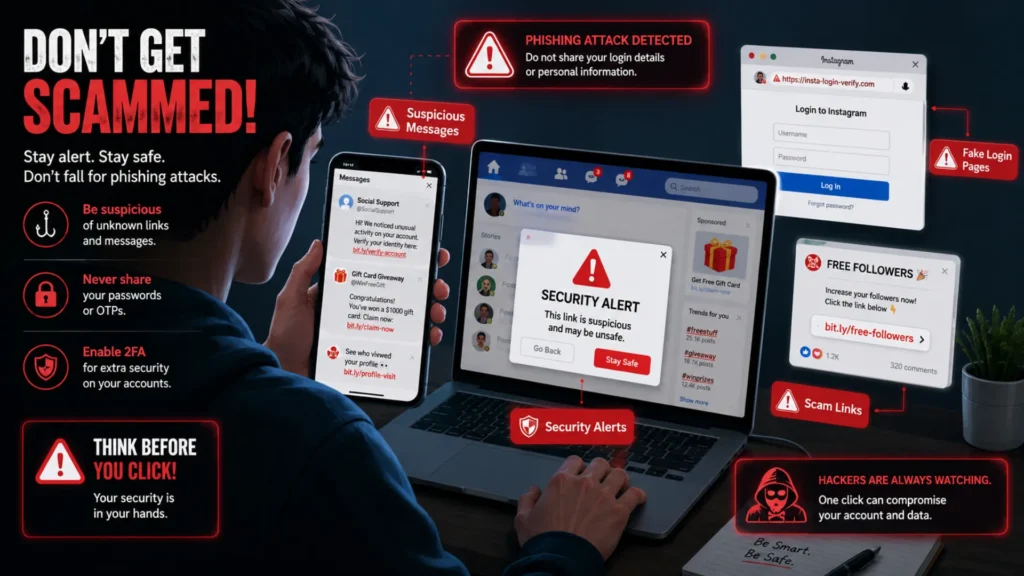
Understanding how hackers gain access to social media profiles is the first step toward protecting your accounts. Most security breaches happen because of simple mistakes or common online threats that many users overlook. By knowing these risks, you can take the right precautions and significantly improve your account security.
Weak Passwords
Weak passwords are one of the easiest ways for hackers to break into social media accounts. Simple combinations such as “123456,” “password,” or personal details like birthdays can be guessed quickly using automated tools.
Phishing Scams
Phishing scams trick users into sharing login credentials through fake emails, messages, or websites. These scams often appear legitimate and create a sense of urgency, making people click malicious links without verifying their authenticity.
Reused Passwords Across Multiple Accounts
Using the same password on multiple platforms increases your risk. If one account is compromised in a data breach, hackers can use the same credentials to access your other social media accounts.
Public Wi-Fi Vulnerabilities
Public Wi-Fi networks in places like cafes, airports, and hotels are often less secure. Cybercriminals can intercept data transmitted over unsecured networks, potentially gaining access to your login information.
Third-Party App Risks
Many social media users connect third-party apps and services to their accounts. While some are trustworthy, others may have weak security practices or request unnecessary permissions, creating potential security risks.
Quick Warning Signs Checklist
Watch for these signs that may indicate your account has been compromised:
- Unexpected login alerts
- Password reset emails you didn’t request
- Unknown devices accessing your account
- Unusual messages sent from your profile
If you notice any of these warning signs, change your password immediately, review your account activity, and enable additional security measures such as two-factor authentication.
Essential Steps to Secure Your Social Media Accounts
Social media security starts with a few simple habits that can greatly reduce the risk of unauthorized access. Whether you use social platforms for personal communication, business promotion, or networking, following these essential steps can help keep your information safe and protect your online identity.
Use Strong and Unique Passwords
One of the most important ways to secure your social media accounts is by creating strong and unique passwords. Avoid using common words, birthdays, names, or simple number combinations that can be guessed easily.
A strong password should:
- Be at least 12–16 characters long
- Include uppercase and lowercase letters
- Contain numbers and special characters
- Be different for every social media account
Remembering multiple complex passwords can be difficult. This is where password managers become useful. They securely store your passwords and can generate strong passwords for you, reducing the temptation to reuse the same password across different platforms.
Enable Two-Factor Authentication (2FA)
Two-Factor Authentication (2FA) adds an extra layer of protection to your account. After entering your password, you’ll be asked to verify your identity using a second method, such as a code sent to your phone or generated by an authentication app.
Even if someone steals your password, they usually cannot access your account without the second verification step. This significantly improves your social media security and helps prevent unauthorized access.
Review Privacy Settings Regularly
Privacy settings often change as platforms update their features. Take time to review your settings regularly and adjust them based on your comfort level.
Make sure you:
- Limit who can view your profile and posts
- Control who can send messages or friend requests
- Restrict access to personal information such as phone numbers and email addresses
Regular reviews help ensure your information is only visible to the people you trust.
Monitor Login Activity
Most social media platforms allow you to view recent login activity and active sessions. Check these records periodically to identify any suspicious access attempts.
If you notice a device or location you don’t recognize:
- Change your password immediately
- Enable 2FA if it isn’t already active
- Log out of all unused or unfamiliar devices
This simple habit can help you detect security issues before they become serious problems.
Keep Apps and Devices Updated
Software updates often include important security patches that fix known vulnerabilities. Delaying updates can leave your devices and accounts exposed to cyber threats.
Always keep:
- Social media apps updated
- Smartphone operating systems current
- Computers and browsers running the latest versions
Regular updates reduce security risks and improve overall account protection.
Quick Security Checklist
✔ Use unique passwords for every account
✔ Enable Two-Factor Authentication (2FA)
✔ Update apps and devices regularly
✔ Monitor login history frequently
✔ Review privacy settings periodically
Pros and Cons: Two-Factor Authentication
| Pros | Cons |
|---|---|
| Stronger account protection | Adds an extra login step |
| Reduces unauthorized access | May require recovery methods if your device is lost |
| Protects against stolen passwords | Can be slightly less convenient during login |
By following these essential steps, you can significantly strengthen your social media security and reduce the chances of your accounts being compromised. Small preventive actions today can save you from major security issues in the future.
How to Spot and Avoid Social Media Phishing Scams
Social media phishing scams are designed to trick users into sharing personal information, login credentials, or financial details. Learning how to recognize these scams is an important part of keeping your accounts secure.
Common Phishing Tactics
Scammers use different methods to make their messages appear trustworthy:
- Fake verification requests: Messages claiming your account needs immediate verification often try to steal your login details.
- Suspicious login pages: Fraudulent links may lead to websites that look identical to real social media login pages.
- Fake giveaways and promotions: Offers of free prizes, gift cards, or exclusive rewards are commonly used to lure users into clicking malicious links.
Red Flags to Watch For
Be cautious when you notice any of the following warning signs:
- Urgent language: Messages that create panic or demand immediate action.
- Unknown links: Shortened URLs or links from unfamiliar sources.
- Requests for passwords: Legitimate social media platforms never ask for your password through direct messages or emails.
| Legitimate Message | Phishing Message |
|---|---|
| Comes from official platform | Comes from unknown sender |
| Uses official website links | Uses shortened or suspicious links |
| Doesn’t ask for passwords | Requests credentials directly |
Before clicking any link, take a moment to verify the sender and website address. A few seconds of caution can help you avoid becoming a victim of social media phishing scams.
What to Do If Your Social Media Account Gets Hacked
Discovering that your social media account has been hacked can be stressful, but acting quickly can help you regain control and limit any damage. The sooner you respond, the better your chances of securing your account and protecting your personal information.
Change Your Password Immediately
If you can still access your account, change your password right away. Create a strong password that is unique and difficult to guess. Avoid reusing passwords from other accounts.
Revoke Unauthorized Device Access
Check your account’s login activity and remove any devices or sessions you do not recognize. This will help prevent hackers from continuing to access your account.
Enable or Reset Two-Factor Authentication
Turn on two-factor authentication (2FA) if it is not already enabled. If the hacker changed your security settings, reset 2FA and update your recovery information.
Report the Incident to the Platform
Most social media platforms have dedicated account recovery and security support tools. Report the hack immediately and follow the platform’s recovery instructions.
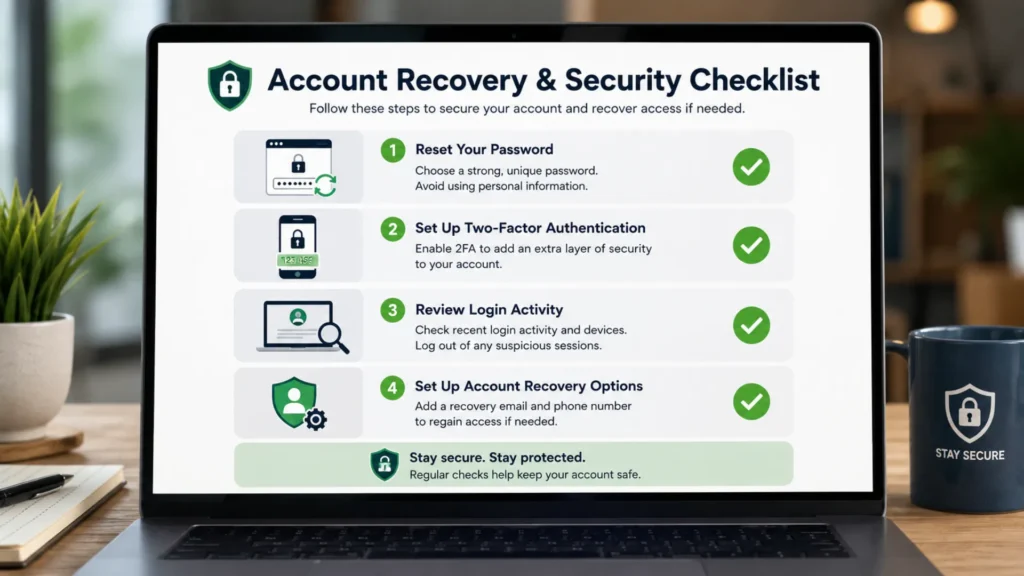
Step-by-Step Recovery Checklist
- Reset your password.
- Log out of all devices.
- Enable or reset 2FA.
- Remove suspicious third-party apps.
- Contact platform support if needed.
- Inform your followers if unauthorized messages or posts were shared from your account.
Social Media Security Best Practices for 2026
Keeping your social media accounts secure requires more than just a strong password. As cyber threats continue to evolve in 2026, it’s important to follow a few simple habits that can significantly improve your online safety.
- Avoid oversharing personal information such as your address, phone number, travel plans, or financial details.
- Review connected apps regularly and remove any third-party apps you no longer use.
- Enable security alerts so you can quickly spot and respond to suspicious login attempts.
- Back up important content like photos, videos, and business-related posts to prevent data loss.
- Stay informed about new cyber threats by following trusted cybersecurity sources and platform updates.
- Verify links before clicking to avoid phishing scams and malicious websites designed to steal your information.
Following these social media security best practices can help protect your accounts, personal data, and digital reputation from emerging online threats.
Conclusion
Protecting your social media accounts is no longer optional—it’s an essential part of staying safe online. A single security mistake can put your personal information, privacy, and even finances at risk. Fortunately, a few simple steps can make a big difference.
Start by creating strong, unique passwords for every account and enable two-factor authentication wherever possible. Stay alert to phishing scams, suspicious links, and unexpected messages. It’s also a good idea to review your security settings and account activity regularly.
Use the checklist from this guide and take action today. The sooner you secure your accounts, the better protected you’ll be against online threats.
FAQ Section
The safest approach is to use a strong, unique password and enable two-factor authentication (2FA). Avoid sharing login details and be cautious of suspicious links or messages.
Yes. 2FA adds an extra layer of security by requiring a second verification step, making it much harder for attackers to access your account.
Yes. If someone has your password, they may gain access unless additional protections like 2FA are enabled.
Update passwords every few months or immediately if you suspect a security breach or unauthorized access.
Change your password right away, scan your device for malware, and review your account security settings for any unusual activity.