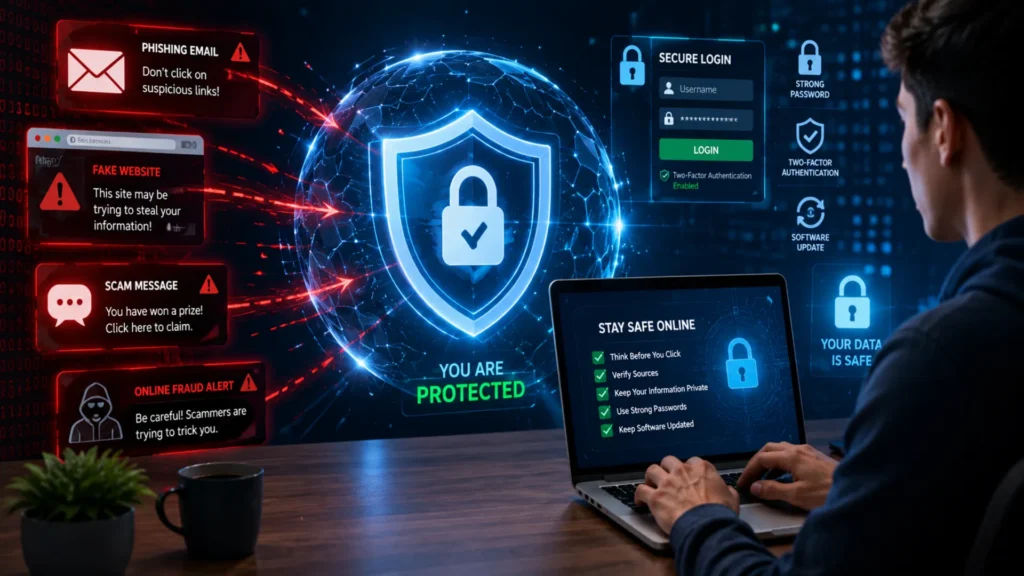
The internet has made everyday tasks easier, from shopping and banking to connecting with friends and family. However, as our online activity grows, so does the risk of becoming a victim of online scams. Cybercriminals are constantly creating new ways to trick people into sharing personal information, sending money, or downloading harmful software.
The truth is that anyone who uses the internet can be a target. Online scammers do not only focus on businesses or technology experts—they target students, professionals, seniors, and everyday users alike. A single click on a fake link or a response to a convincing message can lead to serious consequences.
In this guide, you will learn how to protect yourself from online scams, recognize common warning signs, and follow practical steps to stay safe while browsing, shopping, and communicating online.
Table of Contents
What Are Online Scams?
Online scams are fraudulent schemes designed to trick people into giving away money, personal information, or access to their accounts. These scams can appear through emails, text messages, social media platforms, websites, or even phone calls. As more daily activities move online, scammers continue to find new ways to target unsuspecting users.
Understanding Online Scams
Online scams rely heavily on deception. Scammers often pretend to be trusted organizations, banks, government agencies, or well-known companies. Their goal is to gain your trust and create a sense of urgency, making you act quickly without verifying the information.
Common consequences of online scams include:
- Financial theft
- Identity theft
- Account takeovers
- Data breaches
Why Online Scams Are Increasing
The rise in digital transactions has created more opportunities for cybercriminals. Online shopping, digital banking, and electronic payments have become part of everyday life, making internet users attractive targets.
Social media platforms and mobile devices have also increased exposure to scams. Fraudsters can easily reach thousands of people through fake profiles, advertisements, and direct messages.
In addition, AI-powered scam techniques are making scams more convincing than ever. Fake voices, realistic phishing emails, and personalized messages can closely mimic legitimate communication, making it harder for users to recognize potential threats.
Common Types of Online Scams You Should Know
Online scammers use many different tactics to trick people into sharing personal information, sending money, or downloading harmful software. Understanding the most common scam types can help you recognize warning signs before becoming a victim.
Phishing Emails and Messages
Phishing scams often arrive through emails, text messages, or messaging apps. Scammers pretend to represent trusted organizations such as banks, delivery companies, or government agencies. These messages usually create a sense of urgency and ask you to click a link, verify account details, or provide sensitive information.
Fake Shopping Websites
Fake online stores are designed to look legitimate while offering products at extremely low prices. After receiving payment, these websites may never deliver the product or may send counterfeit items. Many also collect payment information for fraudulent use.
Social Media Scams
Social media platforms are filled with scams, including fake giveaways and impersonation accounts. Fraudsters may pose as celebrities, brands, or even friends to gain trust. They often request money, gift cards, or personal information from unsuspecting users.
Investment and Cryptocurrency Scams
Investment scams promise quick wealth with little or no risk. Many cryptocurrency scams advertise guaranteed returns or exclusive opportunities. These schemes often operate like Ponzi scams, where early investors are paid using money from new victims.
Tech Support Scams
Tech support scammers display fake virus alerts or warning messages claiming your device is infected. They encourage you to call a support number or grant remote access to your computer, which can lead to stolen data or financial losses.
Table: Common Scam Types and Their Warning Signs
| Scam Type | Common Warning Sign |
|---|---|
| Phishing | Urgent requests for information |
| Shopping Scam | Unrealistically low prices |
| Investment Scam | Guaranteed profits |
| Tech Support Scam | Pop-up security warnings |
| Social Media Scam | Requests for money or personal data |
Learning how to identify these scams is one of the most effective ways to protect yourself from online scams and reduce the risk of financial loss or identity theft.
Warning Signs of an Online Scam
Online scams often follow predictable patterns. Learning to recognize the warning signs can help you avoid becoming a victim. Scammers usually try to gain your trust quickly or pressure you into making decisions without thinking carefully. Whether the scam arrives through email, text messages, social media, or phone calls, certain red flags appear again and again.
Red Flags to Watch For
Watch out for these common signs of an online scam:
- Too-good-to-be-true offers that promise huge rewards, free gifts, or easy money.
- Urgent payment requests demanding immediate action.
- Requests for passwords or banking details from people or organizations claiming to be legitimate.
- Suspicious links and attachments that may install malware or lead to fake websites.
- Poor grammar and spelling in messages that appear to come from professional organizations.
- Unverified sender information such as unfamiliar email addresses, phone numbers, or social media profiles.
Why Scammers Create Urgency
Scammers know that people make mistakes when they feel rushed. That is why urgency is one of their most effective tactics.
Common methods include:
- Fear tactics designed to make you panic and react quickly.
- Limited-time offers that claim you must act immediately to avoid missing out.
- Threats of account suspension or service cancellation unless you provide information or make a payment right away.
Whenever a message creates pressure to act immediately, take a moment to verify the information before responding. A few extra minutes of caution can protect your money, personal information, and online accounts.
10 Effective Ways to Protect Yourself from Online Scams
Online scammers constantly develop new tricks to steal money, personal information, and account credentials. The good news is that a few smart habits can significantly reduce your risk. If you’re wondering how to protect yourself from online scams, start with these practical security measures.
Use Strong and Unique Passwords
Create passwords that are difficult to guess and avoid reusing the same password across multiple accounts. A combination of uppercase letters, lowercase letters, numbers, and special characters offers stronger protection. Consider using a password manager to store them securely.
Enable Two-Factor Authentication (2FA)
Two-factor authentication adds an extra layer of security by requiring a second verification step. Even if a scammer gets your password, they won’t easily access your account without the additional code.
Verify Website Security Before Entering Information
Before sharing personal or payment details, check that the website uses HTTPS and displays a secure padlock icon in the address bar. Avoid entering sensitive information on websites that appear suspicious.
Avoid Clicking Unknown Links
Be cautious with links received through emails, text messages, or social media. Scammers often use fake links to steal login credentials or install malware.
Keep Software and Devices Updated
Regular updates fix security vulnerabilities that cybercriminals may exploit. Enable automatic updates whenever possible.
Install Reliable Antivirus Protection
Trusted antivirus software helps detect malware, phishing attempts, and other online threats before they cause damage.
Verify Requests for Money or Information
If someone urgently requests money, passwords, or sensitive information, verify their identity through a trusted communication method before responding.
Monitor Bank and Credit Card Activity
Review financial statements regularly to spot unauthorized transactions early. Quick action can help limit potential losses.
Be Careful When Using Public Wi-Fi
Avoid accessing banking or sensitive accounts on public networks. If necessary, use a secure VPN connection.
Limit Personal Information Shared Online
The more personal details you share publicly, the easier it becomes for scammers to impersonate you or answer security questions.
Pros & Cons Table: Security Measures
| Security Measure | Pros | Cons |
|---|---|---|
| Two-Factor Authentication | Strong account protection | Extra login step |
| Antivirus Software | Detects threats and malware | Requires regular updates |
| Strong Passwords | Prevents unauthorized access | Harder to remember |
What to Do If You Have Been Scammed
Immediate Actions to Take
If you believe you have been scammed, taking quick action can help minimize the damage and protect your personal information. Follow these important steps as soon as possible:
- Change affected passwords immediately for any accounts that may have been compromised. Use strong, unique passwords for each account.
- Contact your bank or payment provider if financial information was involved. They may be able to stop transactions, freeze accounts, or issue new cards.
- Enable additional account security such as two-factor authentication (2FA) to prevent unauthorized access.
- Report the scam to relevant authorities and the platform where the scam occurred. This helps protect others and may support investigations.
- Scan your devices for malware using trusted antivirus or security software to identify and remove potential threats.
- Monitor your financial accounts regularly for unusual transactions or suspicious activity.
Why Acting Quickly Matters
Acting fast after discovering a scam can make a significant difference. Quick action may help reduce financial losses by stopping fraudulent transactions before they are completed. It can also lower the risk of identity theft by preventing scammers from gaining further access to your personal information. The sooner you respond, the better your chances of protecting your accounts, finances, and digital security.
Online Scam Prevention Checklist
Before you click, download, or share personal information online, take a few seconds to review this quick security checklist. Following these simple steps can significantly reduce your risk of becoming a victim of online scams and cybercrime.
| Task | Status |
|---|---|
| Strong passwords used | □ |
| Two-factor authentication (2FA) enabled | □ |
| Software and apps updated | □ |
| Antivirus installed and active | □ |
| Suspicious links and attachments avoided | □ |
| Financial accounts regularly monitored | □ |
Use this checklist regularly to strengthen your online security habits and improve your overall protection against online scams. Even small preventive actions can help keep your personal information, accounts, and finances safe.
Frequently Asked Questions
Check whether the website uses HTTPS and displays a padlock icon in the address bar. Look for spelling mistakes, suspicious URLs, poor design, or unexpected pop-ups. Reading reviews and verifying contact information can also help determine if a site is trustworthy.
Disconnect from sensitive accounts immediately, run a security scan, change important passwords, and monitor your accounts for unusual activity. If you entered personal information, notify the relevant service provider right away.
No. Antivirus software can block many threats, but it cannot stop every scam. Safe browsing habits, strong passwords, and awareness of common scam tactics are equally important.
Phishing remains one of the most common online scams. Cybercriminals use fake emails, text messages, websites, and social media accounts to trick people into revealing personal or financial information.
Conclusion
Protecting yourself from online scams starts with staying informed and cautious. By recognizing common scam tactics, using strong security practices, verifying suspicious messages, and protecting your personal information, you can greatly reduce your risk of becoming a victim. Online threats continue to evolve, so staying vigilant is essential. Remember, awareness is your strongest defense against online fraud and one of the most effective ways to keep your digital life secure.